
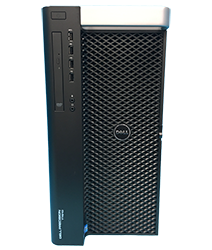
Helping You Create Your Custom Gaming Computer
HP Z4 G4 Gaming Computer and Hardware Upgrade Guide
The HP Z4 G4 has all the base components to be converted in to a high-end gaming computer. The Z4 G4 is a single socket Xeon based workstation. The G4 G4 Supports up 512GB DDR4 2666Mhz memory and 4 x 3.5″ Hard Drives. The Z4 G4 also has an optional 750W or 1000W Power Supply that allows you to install amazing gaming graphics cards. Let us show you how you can build an effective HP Z4 G4 Gaming Computer.
Where to buy?
If you haven’t already acquired a HP Z4 G4 we’d recommend checking out a company called Serverworlds. They sell the Z4 G4’s cheap and they provide free ground shipping to the lower 48 states. You can also try to snag them cheap on Ebay. However, Ebay can be a bit of a gamble because you never know what you are going to get.
The goal is to purchase the Z4 G4 with a good processor and memory already installed and then you can source the graphics cards, hard drives, and other optional components from other sources.

What Processor(s) should I get?
High Clock speed CPUs are the way to go.
Recommended Processor:
HP Z4 G4 Xeon System Board: 914285-001 aka 844783-001
Xeon W-21XX Series:
Up to 1 x Intel Xeon W-2125 4C 4.0Ghz 8.25MB 8GTs | 4.5Ghz Max Turbo Frequency (SR3LM)
Up to 1 x Intel Xeon W-2133 6C 3.6Ghz 8.25MB 8GTs | 3.9Ghz Max Turbo Frequency (SR3LL)
Up to 1 x Intel Xeon W-2135 6C 3.7Ghz 8.25MB 8GTs | 4.5Ghz Max Turbo Frequency (SR3LN)
Up to 1 x Intel Xeon W-2145 8C 3.70Ghz 11MB 8GTs | 4.5Ghz Max Turbo Frequency (SR3LQ)
Xeon W-22XX Series:
Up to 1 x Intel Xeon W-2235 6C 3.8Ghz 8.25MB 8GTs | 4.6Ghz Max Turbo Frequency (SRGVA)
Up to 1 x Intel Xeon W-2245 8C 3.9Ghz 16.5MB 8GTs | 4.7Ghz Max Turbo Frequency (SRH02)
Up to 1 x Intel Xeon W-2255 10C 3.7Ghz 19.25MB 8GTs | 4.7Ghz Max Turbo Frequency (SRGV8)
Up to 1 x Intel Xeon W-2265 12C 3.5Ghz 19.25MB 8GTs | 4.8Ghz Max Turbo Frequency (SRG5Q)
Up to 1 x Intel Xeon W-2275 14C 3.3Ghz 19.25MB 8GTs | 4.8Ghz Max Turbo Frequency (SRGSP)
Up to 1 x Intel Xeon W-2295 18C 3.0Ghz 24.75MB 8GTs | 4.6Ghz Max Turbo Frequency (SRGSL)
I9 Processors:
In order for your HP Z4 G4 to support the processors below, you must have System Board PN: (L12125-001)
Also, the processors below do not support registered memory modules.
Up to 1 x Intel Core i9-10900X 10C 3.7Ghz 19.25MB 8GTs | 4.7Ghz Max Turbo Frequency (SRGV7)
Up to 1 x Intel Core i9-10920X 12C 3.5Ghz 19.25MB 8GTs | 4.8Ghz Max Turbo Frequency (SRGSJ)
Up to 1 x Intel Core i9-10940X 14C 3.3Ghz 19.25MB 8GTs | 4.8Ghz Max Turbo Frequency (SRGSH)
Up to 1 x Intel Core i9-10980XE 18C 3.0Ghz 24.75MB 8GTs | 4.8Ghz Max Turbo Frequency (SRGSG)

How much Memory should I get?
The base line should be a minimum of 16GB of memory. However, 24GB to 32GB that would be ideal.
Memory PNs:
8GB 2666Mhz 1Rx8 DDR4 Reg Module (1VRGY)
8GB PC2933Y 1Rx8 DDR4 Reg Module (C39HP)
16GB 2666Mhz 2Rx8 DDR4 Reg Module (DFK3Y)
16GB 2933Y 2Rx8 DDR4 Reg Module (TFYHP)
32GB 2666Mhz 2Rx4 DDR4 Reg Module (TN78Y)
32GB 2933Y 2Rx4 DDR4 Reg Module (8WKDY)
64GB 2933Y 2Rx4 DDR4 Reg Module (W403Y)
UDimms for I9-10XXX Processors:
8GB PC2666 UDIMM (Y7N41 or D715X)
16GB PC2666 UDIMM (VDFYD)
32GB PC2666 UDIMM (983D4)
Recommended Memory Configurations:
2 x 8GB 2666Mhz ECC Reg Modules (16GB)
4 x 8GB 2666Mhz ECC Reg Modules (32GB)
4 x 16GB 2666Mhz ECC Reg Modules (64GB)

What Hard Drive should I get?
Ideally you would want to have a NVME.2 Solid State Drive as your boot device as well as storage for faster read speeds. If you are limited on budget, you could go with a small NVME.2 SSD for your boot device and a larger capacity 7.2K SATA drive to hold your larger files/programs/games.
The HP Z4 G4 has 2 x Onboard NVMe M.2 SSD Slots
NVMe Mounting Bracket:
Recommended NVME.2 SSDs:
Samsung 980 EVO Series – 500GB NVMe – M.2 Internal SSD (MZ-V8V500B/AM)
Samsung 980 EVO Series – 1TB PCIe NVMe – M.2 Internal SSD (MZ-V8V1T0B/AM)
Samsung 980 EVO Pro Series – 2TB PCIe NVMe – M.2 Internal SSD (MZ-V8P2T0B/A)
Crucial P3 Plus 4TB NVMe M.2 SSD (CT4000P3PSSD8)
Recommended large Capacity SATA Drives:
Seagate 4TB FireCuda SATA 7.2K 6Gb/s 256MB Cache 3.5-Inch Internal HDD (ST4000DX005)
Seagate 8TB FireCuda SATA 7.2K 6Gb/s 256MB Cache 3.5-Inch Internal HDD (ST8000DX001)
Recommended SSD Drives:
Samsung 870 Evo 500GB 2.5 inch SATA III Internal SSD (MZ-77E500)
Samsung 870 EVO 1TB 2.5 Inch SATA III Internal SSD (MZ-77E1T0B/AM)
Samsung 870 EVO 2TB 2.5 Inch SATA III Internal SSD (MZ-77E20B/AM)
Samsung 870 EVO 4TB 2.5 Inch SATA III Internal SSD (MZ-77E4T0B/AM)

What Graphics Card should I get?
The HP Z4 G4 supports optional 750W and 1000W Power Supplies. The 750W or 1000W Power Supplies will give you pretty much endless options for graphics cards.
Recommended Graphics Cards:
EVGA NVIDIA RTX 3060 12GB Graphics Card
EVGA NVIDIA RTX 3060 Ti 8GB Graphics Card
EVGA NVIDIA RTX 3070 8GB Graphics Card
EVGA NVIDIA RTX 3070 Ti 8GB Graphics Card
PNY GeForce RTX 4070 12GB Graphics Card
PNY GeForce RTX 4070 TI 12GB Graphics Card
What type of Monitor should I get?
Ideally it would be nice to get a monitor with a 144Hz or 244hz refresh rate or better monitor. However, it really depends on the games you play. If you play first person shooter games a 144hz or 240Hz or better monitor is a must. If you play other games that do not require quick response time, then a 60hz monitor should work fine.
Recommended Monitors:
ASUS PG248Q Full HD 144Hz 1MS 24″ Gaming Monitor
ASUS VG278Q Full HD 1080P 144Hz 1MS 27″ Gaming Monitor
ASUS XG258Q ROG Strix 24.5″ 1080P 240Hz 1MS Gaming Monitor
ASUS VG279QM TUF Gaming 27″ 280Hz 1MS Gaming Monitor
Recap:
Using the criteria above you can help you build a high end gaming system using a HP Z4 G4 Workstation.
Sample Configuration:
HP Z4 G4 Workstation
Intel Xeon W-2123 QC 3.6Ghz 8.25MB (3.9Ghz Max Frequency)
32GB PC2666Mhz (2 x 16GB)
Samsung 1TB NVMe M.2 SSD
NVIDIA Founders Edition RTX 3060 TI w/8GB Graphics Card
2 x Onboard Gigabit Network Ports Onboard
750W Power Supply
10 Pro 64Bit
We have tested this system with games like Dota 2, CS Go, PubG, Overwatch, and The Division. The frames can range from 90FPS to 200FPS depending on the game and settings that you choose. The system was tested using a 240Hz 24.5″ Asus Monitor.
